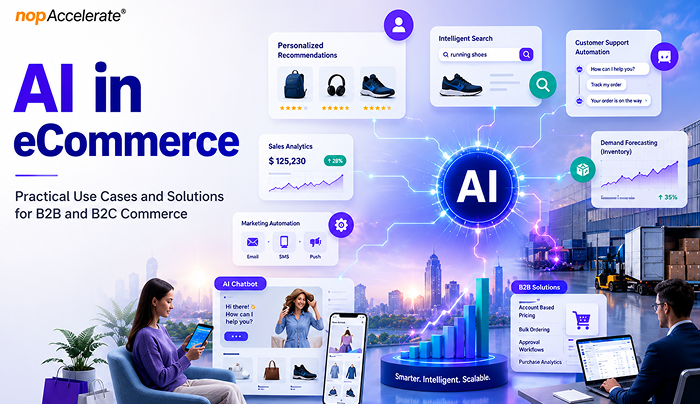
AI in eCommerce: Practical Use Cases and Solutions for B2B and B2C Commerce
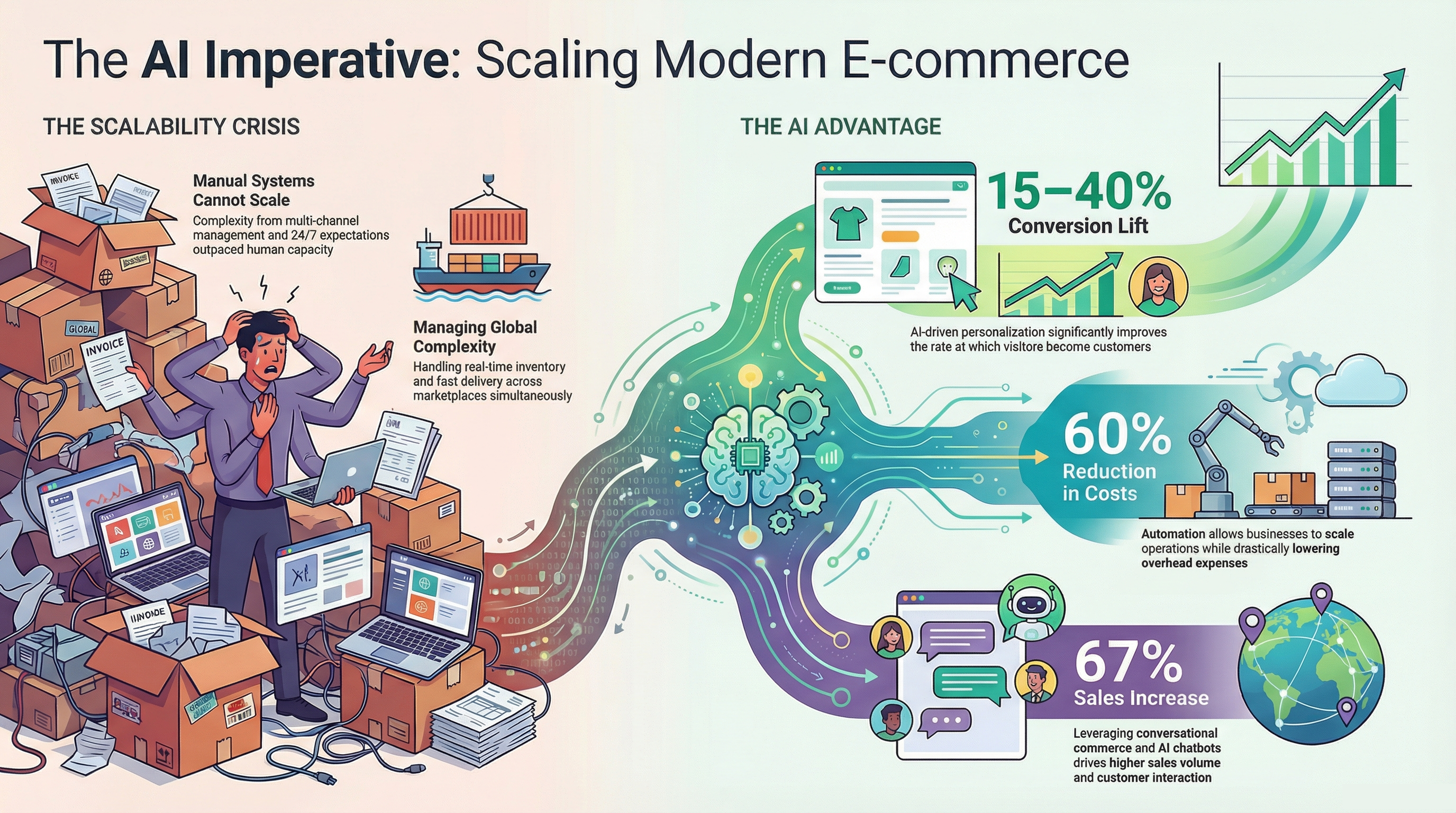
Artificial intelligence has quickly moved from a competitive advantage to a business necessity in eCommerce.
Retailers face rising customer acquisition costs, growing customer expectations, and increasing operational complexity. Meanwhile, shoppers expect fast product discovery, personalized experiences, accurate inventory visibility, seamless support, and frictionless checkout across every channel. Businesses that fail to meet these expectations risk losing customers to competitors that can.
This is where AI is creating measurable value. From product recommendations and search optimization to demand forecasting and fraud prevention, AI helps businesses improve customer experiences while increasing operational efficiency.
According to McKinsey, AI-powered personalization can help leading organizations generate up to 40% more revenue from those activities than slower-moving competitors. Yet many businesses struggle because they focus on AI tools before identifying clear objectives and high-impact use cases.
This guide explores where AI delivers the greatest value across the eCommerce journey and how businesses can adopt it strategically.
What AI in eCommerce Actually Means
When people hear AI, they often think of chatbots or content creation tools. In reality, AI supports many more eCommerce activities.
At its core, AI helps businesses analyze large amounts of data, spot patterns, make predictions, and automate tasks that would otherwise take significant time and effort.
Several technologies make this possible:
- Machine learning for forecasting, recommendations, and fraud detection
- Natural language processing (NLP) for search and customer support
- Computer vision for image recognition and visual search
- Generative AI for content creation and communication
- AI agents that can perform tasks with minimal human input
AI adoption continues to grow because businesses now collect more customer, product, and business data than ever before. AI helps turn that data into actions that improve efficiency, customer experience, and revenue.
Rather than replacing people, AI helps teams save time, reduce manual work, uncover useful insights, and make better decisions.
Where AI Creates Value Across the eCommerce Business
Personalization and Customer Experience
Personalization is one of the most valuable uses of AI in eCommerce industry.
Customers no longer respond well to generic shopping experiences. They expect brands to understand their preferences, buying behavior, and interests. AI makes this possible by analyzing browsing activity, purchase history, and customer behavior.
For example, a customer who regularly buys fitness products may see different recommendations and promotions than someone shopping for home décor. The goal is to help customers find relevant products faster.
Common personalization use cases include:
- Product recommendations
- Customer segmentation
- Dynamic promotions
- Personalized email campaigns
- Loyalty program optimization
- Customer lifetime value prediction
- Churn detection
- Localized shopping experiences
- Dynamic website content
Personalization does more than improve conversion rates. It can increase average order value, improve customer retention, and strengthen customer relationships.
Search and Product Discovery
Product discovery has become one of the most important areas in eCommerce.
Customers often know what problem they want to solve but struggle to describe it using product-specific terms. Traditional keyword search can fail because it matches words rather than understanding intent.
For example, a customer searching for “comfortable shoes for standing all day” is looking for a solution, not a category page.
AI-powered search helps bridge that gap by understanding context, customer behavior, and search intent.
Applications include:
- Semantic search
- Visual search
- Voice search
- Product comparison assistance
- Guided selling experiences
- Search result optimization
- Automated product tagging
- Personalized search experiences
Poor search experiences often lead to higher bounce rates and abandoned shopping sessions. Better search helps customers find the right products faster, reducing friction throughout the buying journey.
Customer Service and Support Automation
Customer support is often one of the first areas where retailers invest in AI because it improves both customer experience and operational efficiency.
Support teams spend a large amount of time answering repetitive questions about orders, deliveries, returns, refunds, product availability, and account information. While important, many of these interactions follow predictable patterns.
AI can automate routine support tasks, allowing human agents to focus on situations that require empathy, judgment, or complex problem-solving.
Common applications include:
- Order tracking and delivery updates
- Returns and refund assistance
- Customer self-service portals
- Product discovery and recommendations
- Knowledge-based customer assistance
- Post-purchase order support
- Smart follow-up conversations
The benefits go beyond cost savings. Faster responses improve customer satisfaction and reduce frustration throughout the customer journey.
Many retailers are also adopting customer service automation to deliver faster and more consistent support experiences. Customers can quickly access answers to common product, order, and policy questions without waiting for assistance.
This helps businesses create more responsive support operations while reducing pressure on internal teams.
Inventory, Supply Chain, and Operations
Inventory management remains one of the biggest challenges in eCommerce.
Stock too much inventory and cash gets tied up in unsold products. Stock too little and businesses risk lost sales, unhappy customers, and damaged trust. AI helps reduce this uncertainty.
By analyzing sales patterns, seasonal trends, inventory levels, supplier performance, and market signals, AI can improve forecasting accuracy and support better planning.
Common operational applications include:
- Demand forecasting
- Inventory optimization
- Automated replenishment
- Warehouse allocation
- Returns forecasting
- Supply chain visibility
- Order orchestration
- Fulfillment optimization
Research from McKinsey has found that organizations using AI in supply chain operations have reported improvements in logistics efficiency, inventory management, and service performance.
For retailers, these improvements can lead to lower operating costs, fewer stockouts, and better customer experiences.
Pricing, Revenue Optimization, and Fraud Prevention
Pricing decisions have always required balancing profitability and competitiveness.
The challenge is that market conditions constantly change. Competitor pricing, inventory levels, customer demand, and promotions can all influence pricing decisions. AI helps businesses respond faster.
Instead of relying entirely on manual analysis, pricing engines can continuously evaluate market conditions and recommend pricing changes based on business goals.
Common revenue optimization applications include:
- Dynamic pricing
- Promotional optimization
- Competitor price monitoring
- Markdown management
- Revenue forecasting
- Margin optimization
AI is also becoming increasingly important for fraud prevention.
As online transactions grow, so do fraud risks. Traditional rule-based systems often struggle to keep up with more sophisticated threats.
AI helps identify suspicious activity by analyzing transaction patterns, customer behavior, device activity, and account history in real time.
Key security applications include:
- Fraud detection
- Payment risk analysis
- Account takeover prevention
- Return fraud monitoring
- Transaction monitoring
The result is stronger security without adding unnecessary friction for legitimate customers.
Content, Marketing, and the Rise of Agentic Commerce
Content has become a major challenge for growing eCommerce businesses.
Every new product requires descriptions, metadata, category content, promotional messaging, emails, social media assets, and ad copy. As product catalogs grow, managing content at scale becomes increasingly difficult.
AI helps retailers create and optimize content faster while maintaining consistency across channels.
Common applications include:
- Product description generation
- Product attribute enrichment
- SEO metadata creation
- Email campaign development
- Ad copy generation
- Social media content support
- Customer review analysis
- Sentiment monitoring
- Trend identification
- Marketing performance insights
The biggest value is not replacing content teams but helping them work more efficiently. For example, retailers can use AI to generate initial product content while teams focus on quality control and brand alignment.
Another emerging area is agentic commerce.
Unlike traditional AI systems that wait for instructions, AI agents can work toward defined goals by analyzing information, making recommendations, and completing tasks with limited human input.
Potential applications include:
- Autonomous pricing optimization
- Inventory management assistance
- Marketing campaign optimization
- Product merchandising recommendations
- Customer support workflow automation
While still in the early stages, agentic AI is expected to play a larger role in commerce operations in the years ahead.
How B2B and B2C eCommerce Use AI Differently
Although the underlying technology may be similar, B2B and B2C organizations often use AI to solve different business challenges.
The difference lies in buying behavior, decision-making processes, and business objectives.
| Area | B2B eCommerce | B2C eCommerce |
| Buying Journey | Longer and multi-step | Faster and more transactional |
| Decision Makers | Multiple stakeholders | Individual shoppers |
| Personalization | Account-based | Individual-based |
| Average Order Value | Higher | Lower |
| Primary Objective | Efficiency and account growth | Conversion and customer experience |
| Key AI Focus | Automation and forecasting | Personalization and engagement |
How B2B Companies Use AI
B2B commerce involves longer sales cycles, multiple stakeholders, and complex purchasing processes. AI helps improve efficiency through lead qualification, procurement forecasting, order automation, pricing optimization, and workflow support.
How B2C Companies Use AI
B2C retailers use AI to enhance customer experiences through personalization, product recommendations, visual search, dynamic pricing, cart recovery, and customer service automation that improves engagement and conversions.
Recommended AI Solutions for B2B and B2C eCommerce
Not every AI solution delivers the same value. The best approach is to prioritize solutions that align with your customers, business goals, and operational challenges.
For B2B eCommerce
B2B organizations typically benefit from AI solutions that simplify complex purchasing processes and improve efficiency.
Priority solutions:
- Account-based personalization
- RFQ and quote automation
- Intelligent product catalogs
- Demand forecasting
- Sales support and lead intelligence
These solutions help streamline operations, improve buyer experiences, and support account growth.
For B2C eCommerce
B2C retailers often achieve the strongest results from AI solutions that improve product discovery, engagement, and conversions.
Priority solutions:
- Personalized recommendations
- AI-powered search
- Customer service automation
- Dynamic pricing
- Cart recovery campaigns
These capabilities help customers find products faster and create more relevant shopping experiences.
Conclusion
AI is creating value across both B2B and B2C eCommerce, but success depends on applying the right solutions to the right business challenges. Organizations that focus on practical use cases, measurable outcomes, and customer needs are more likely to improve efficiency, enhance experiences, and achieve sustainable growth with AI.